A focused starting point
The Screenshots category gathers matching library items so receipts, references, conversations, and temporary captures can be checked together.
Review iPhone screenshots
Screenshots are useful in the moment but can remain in a photo library long after. PicVore opens them as a focused category so you can review that group without searching through every photo.

Screenshot review
The Screenshots category gathers matching library items so receipts, references, conversations, and temporary captures can be checked together.
PicVore focuses on the Screenshots category in your photo library. It does not remove app data, messages, caches, or other iPhone content.
More ways to review
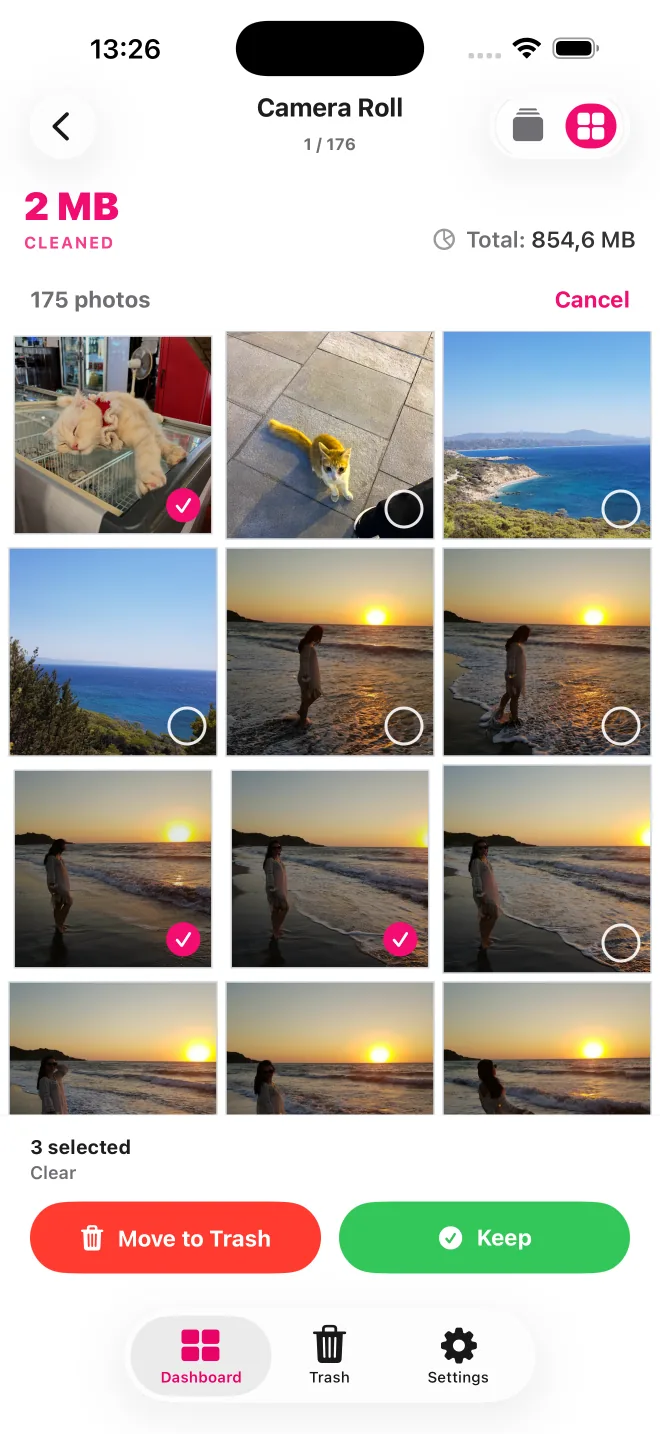
Review one item at a time with swipe controls, or switch to a grid where you can select several items to keep or move to Trash.

Photos with location metadata can appear in groups on an interactive map. Open a place to review only the photos in that group.
Start from a date or album, or open Screenshots, Portrait Photos, or Large Videos instead of searching the full library.
A focused screenshot review
Swipe through screenshots and choose which to keep or move to PicVore’s Trash.
Switch to a grid to inspect several screenshots and select multiple items.
Review your choices and restore a screenshot before you confirm removal.
Your decision
Opening the Screenshots category only narrows what you see. You choose each item. PicVore proceeds with removal of selected items only after you review PicVore’s Trash and confirm.
Opening the Screenshots category only narrows what you see. You choose each item. PicVore proceeds with removal of selected items only after you review PicVore’s Trash and confirm.
Switch to a grid to inspect several screenshots and select multiple items.
Review your choices and restore a screenshot before you confirm removal.
PicVore can be downloaded free of charge and includes daily limits. Optional weekly and annual auto-renewable Pro subscriptions include Unlimited Photo Review and remove those limits. Availability, prices, trial eligibility, renewal, and cancellation terms are shown in the app before purchase and may vary by country.
PicVore focuses on the Screenshots category in your photo library. It does not remove app data, messages, caches, or other iPhone content.
Get PicVore on the App Store